Audit Automator: Multilingual Public-Audit Intelligence Pipeline
01 The Challenge
Public audit institutions publish valuable information about government spending, procurement, infrastructure, healthcare, fraud, and institutional performance. However, these reports are distributed across different websites, publishing systems, RSS feeds, languages, and PDF formats.
Manual monitoring creates several recurring problems:
• Heterogeneous sources: each institution publishes reports differently.
• Indirect document access: PDF links may be hidden behind publication pages.
• Long multilingual reports: reviewing and translating them requires significant time.
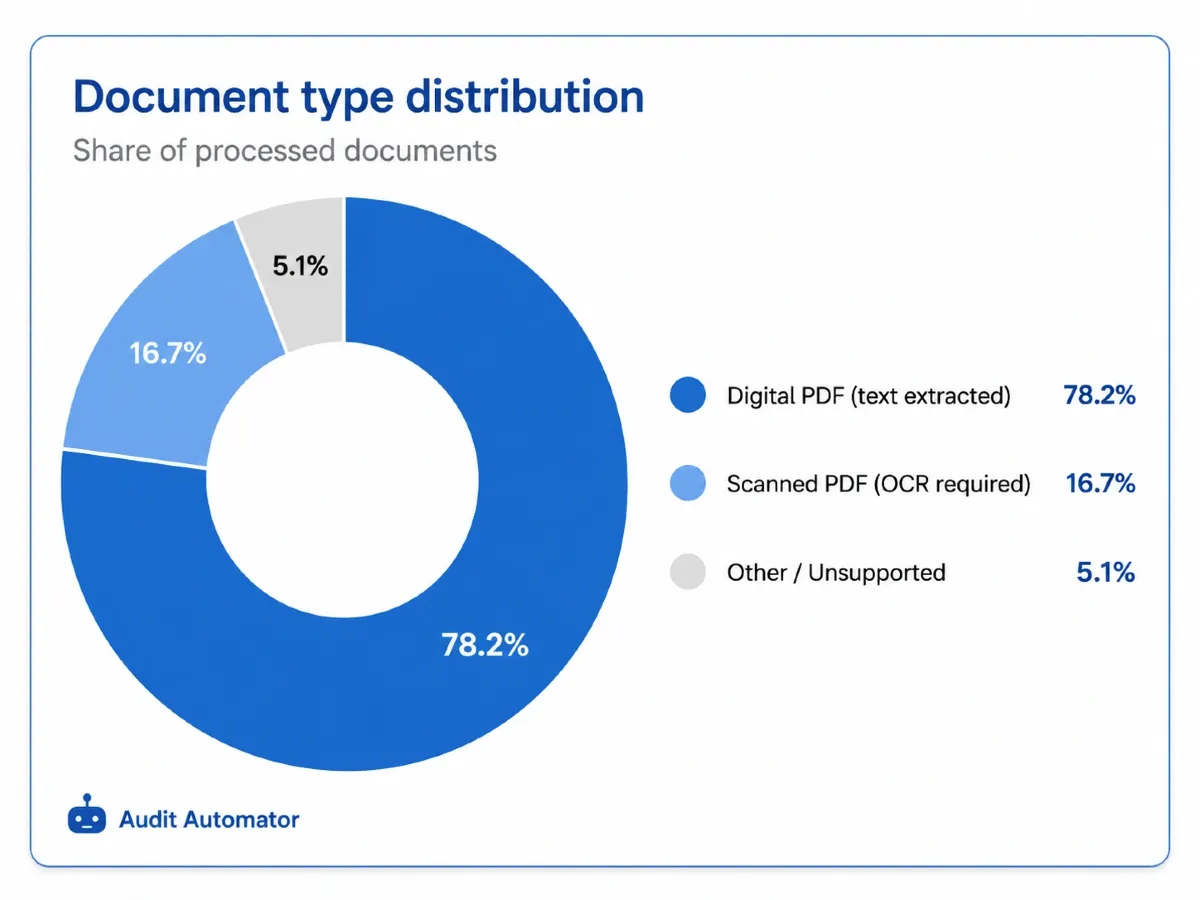
• Different PDF formats: digital documents and scanned files require separate processing methods.
• Repetitive editorial work: summaries, findings, figures, comparisons, and digests must be prepared separately.
• Duplicate processing: previously discovered reports must be remembered between scheduled runs.
• Fragile external integrations: failures involving websites, AI services, Google Sheets, or email must not stop the entire workflow.
The project therefore required more than a basic scraper. It needed a persistent and failure-tolerant pipeline capable of processing heterogeneous sources and producing structured editorial outputs.
02 The Solution
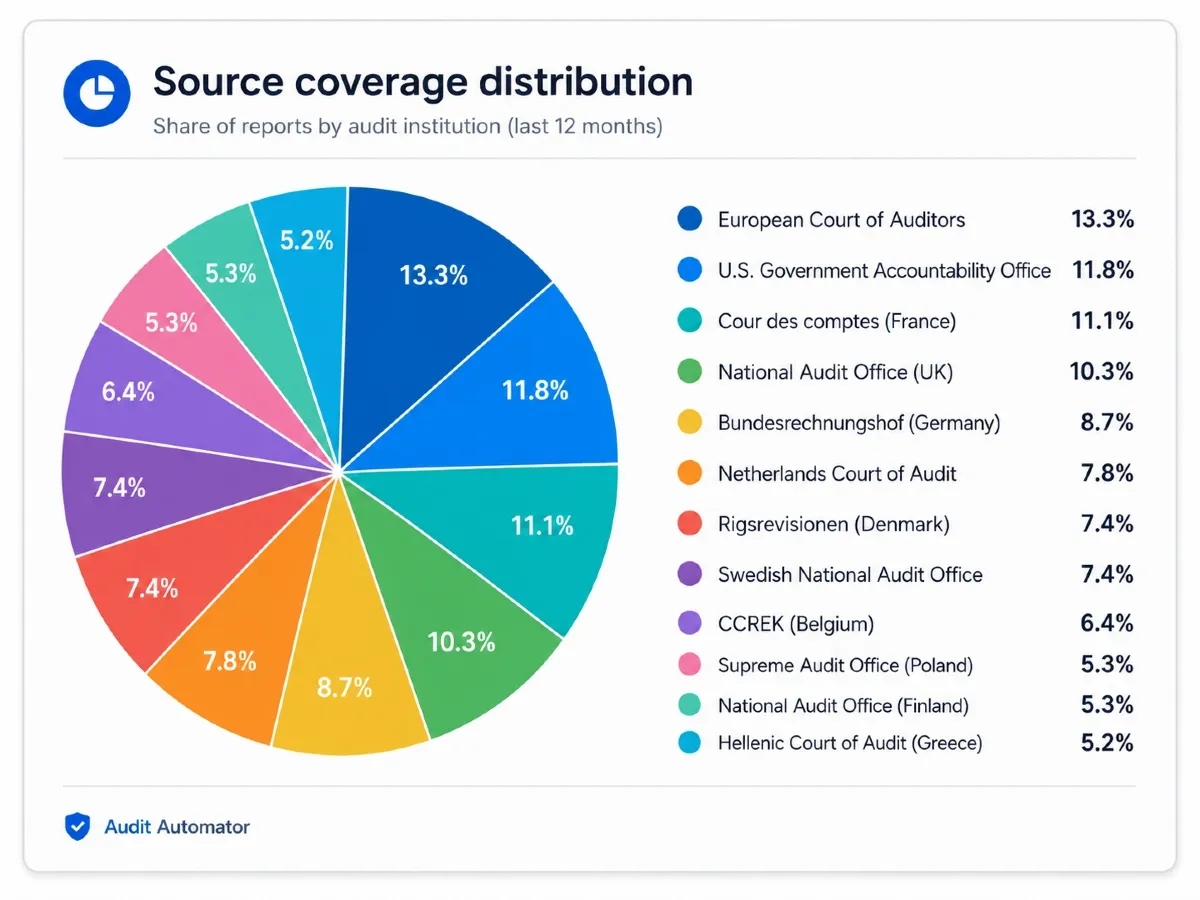
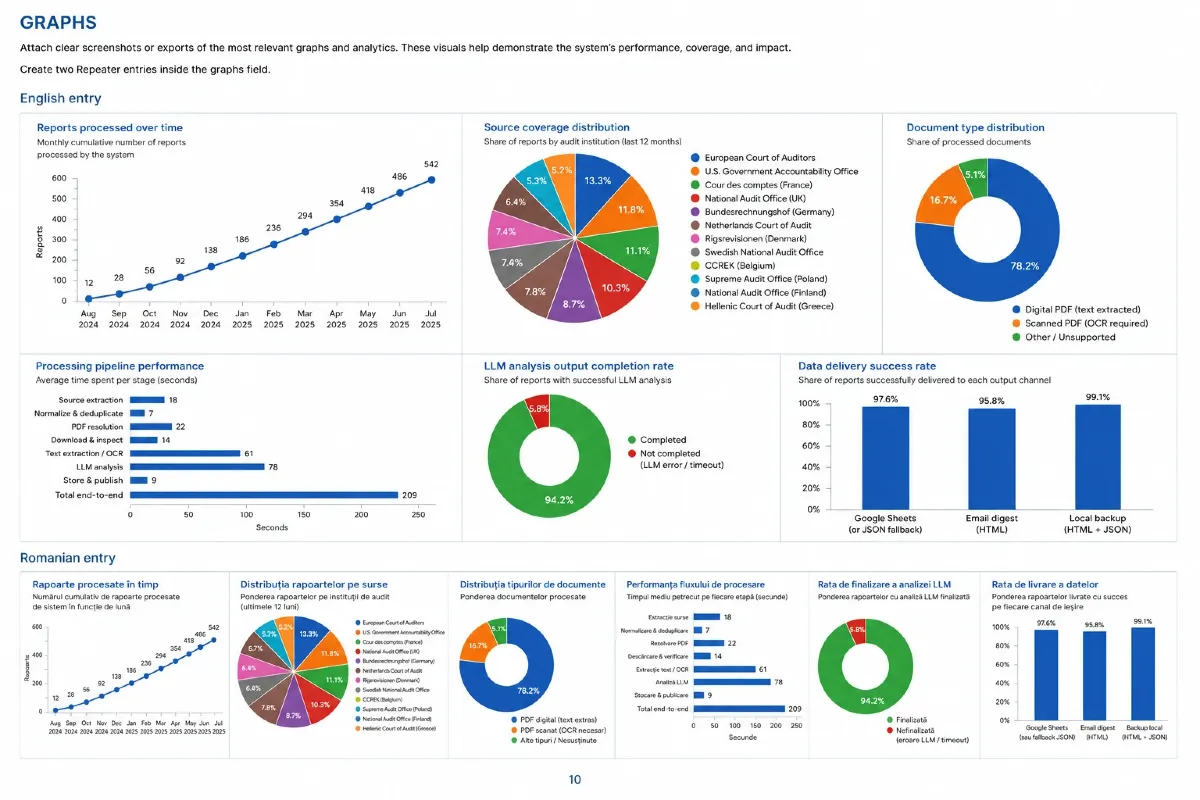
I designed and developed Audit Automator, a Python pipeline that monitors 12 public audit institutions and transforms newly published reports into structured Romanian-language intelligence.
The platform includes:
• Source-specific adapters: each institution has a dedicated scraper built on a shared extraction and normalization layer.
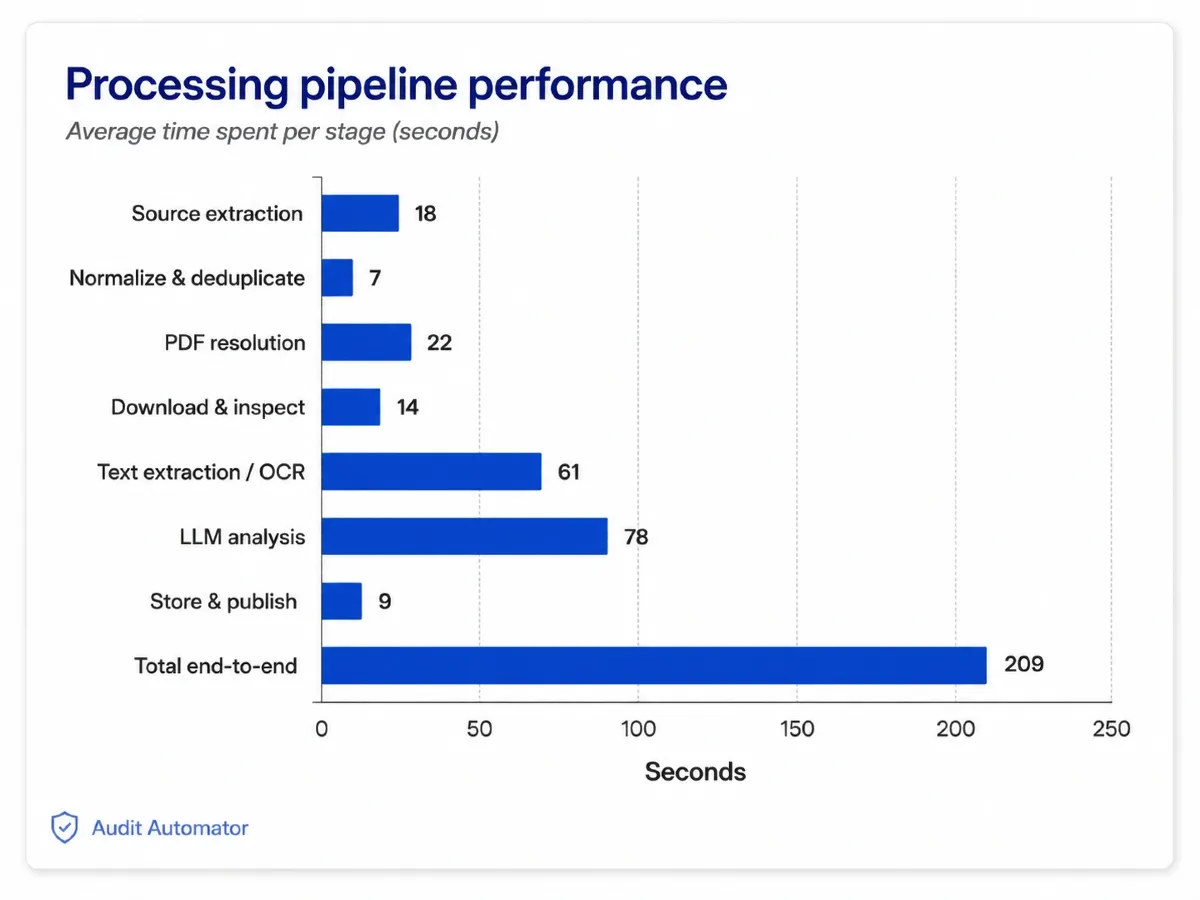
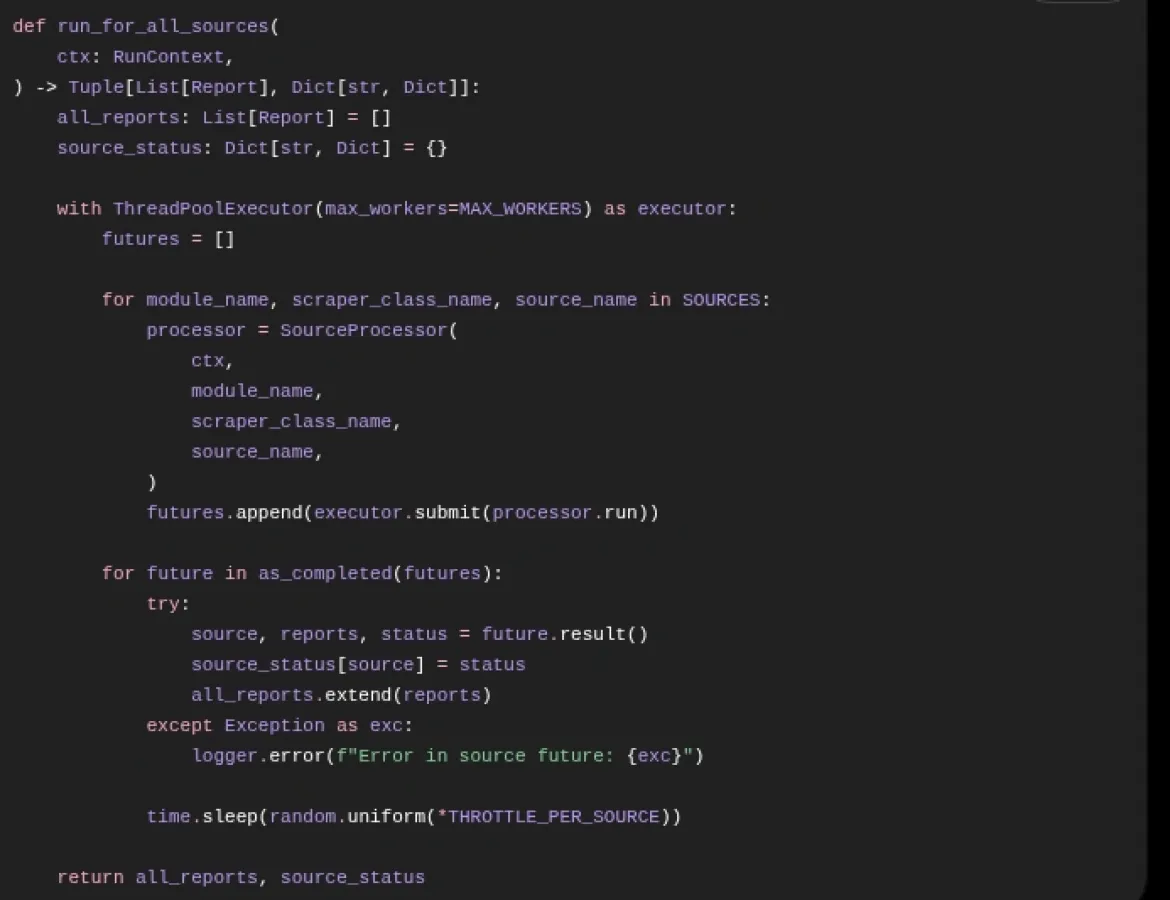
• Controlled daily execution: sources are processed concurrently using limits, delays, retries, and failure isolation.
• Persistent deduplication: previously discovered reports are stored and excluded from later runs.
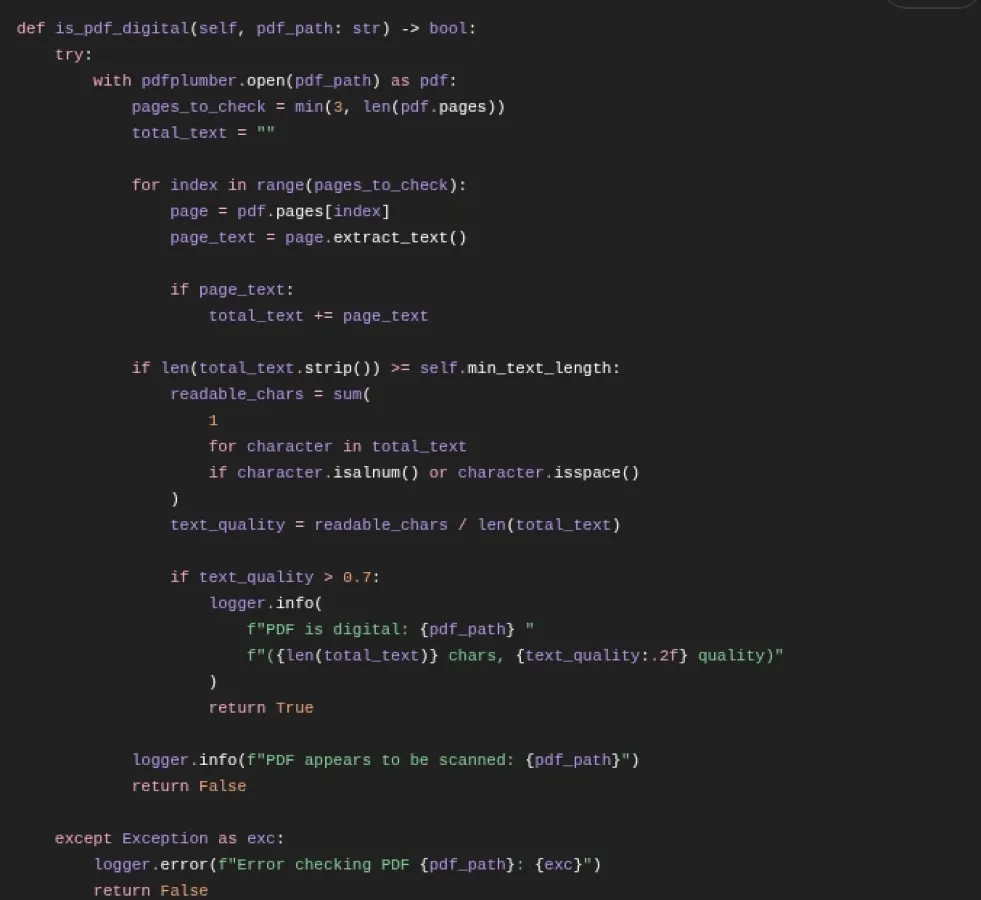
• PDF processing: the system identifies direct documents, extracts digital text, and marks scanned files that require OCR.
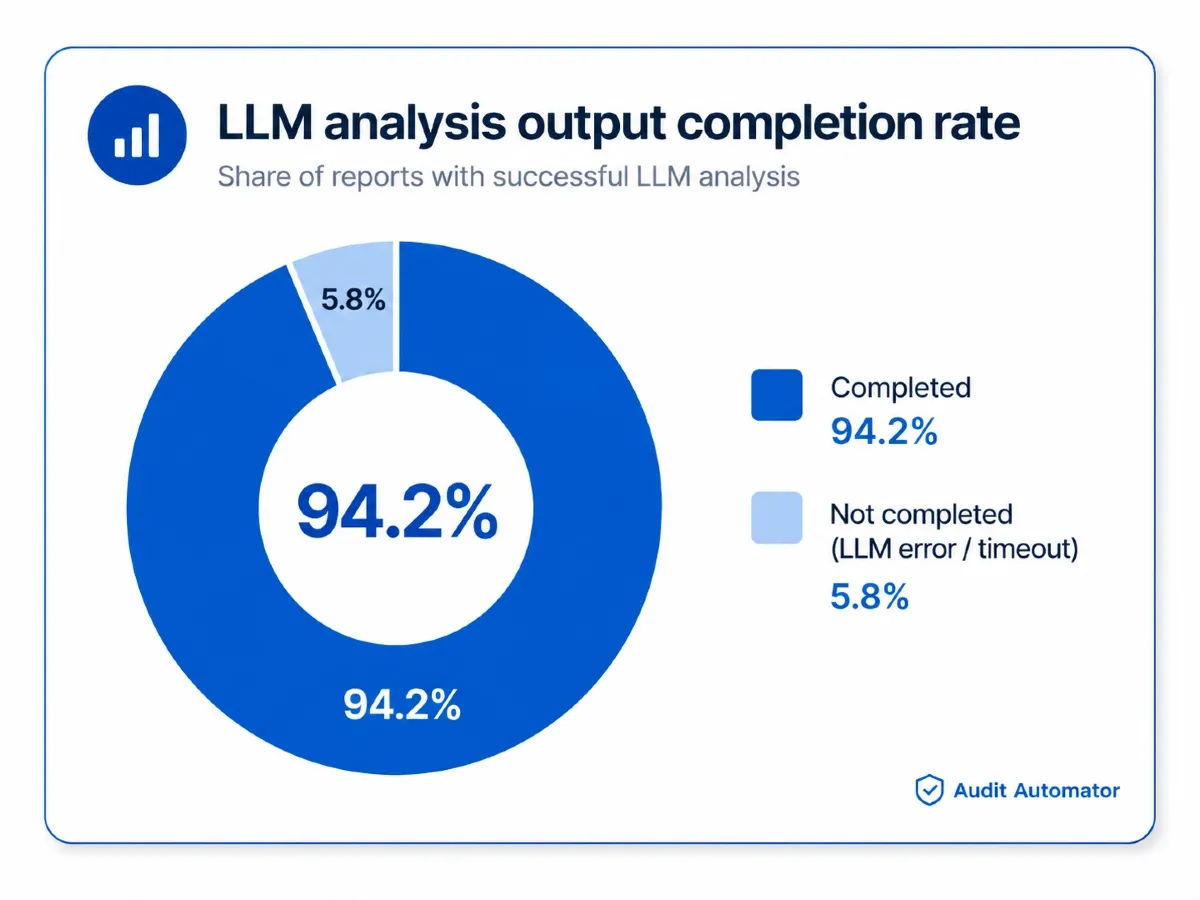
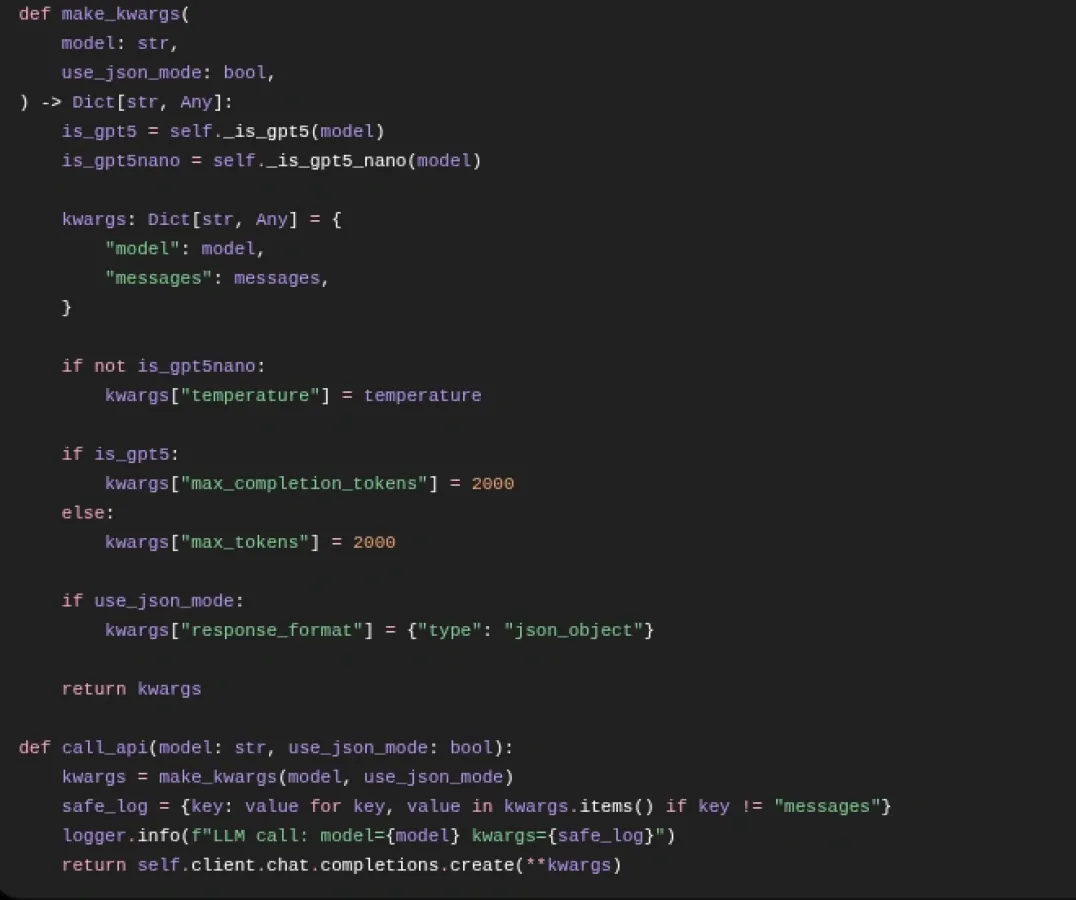
• Structured AI analysis: reports are transformed into Romanian summaries, findings, figures, recommendations, comparisons, citations, and social content.
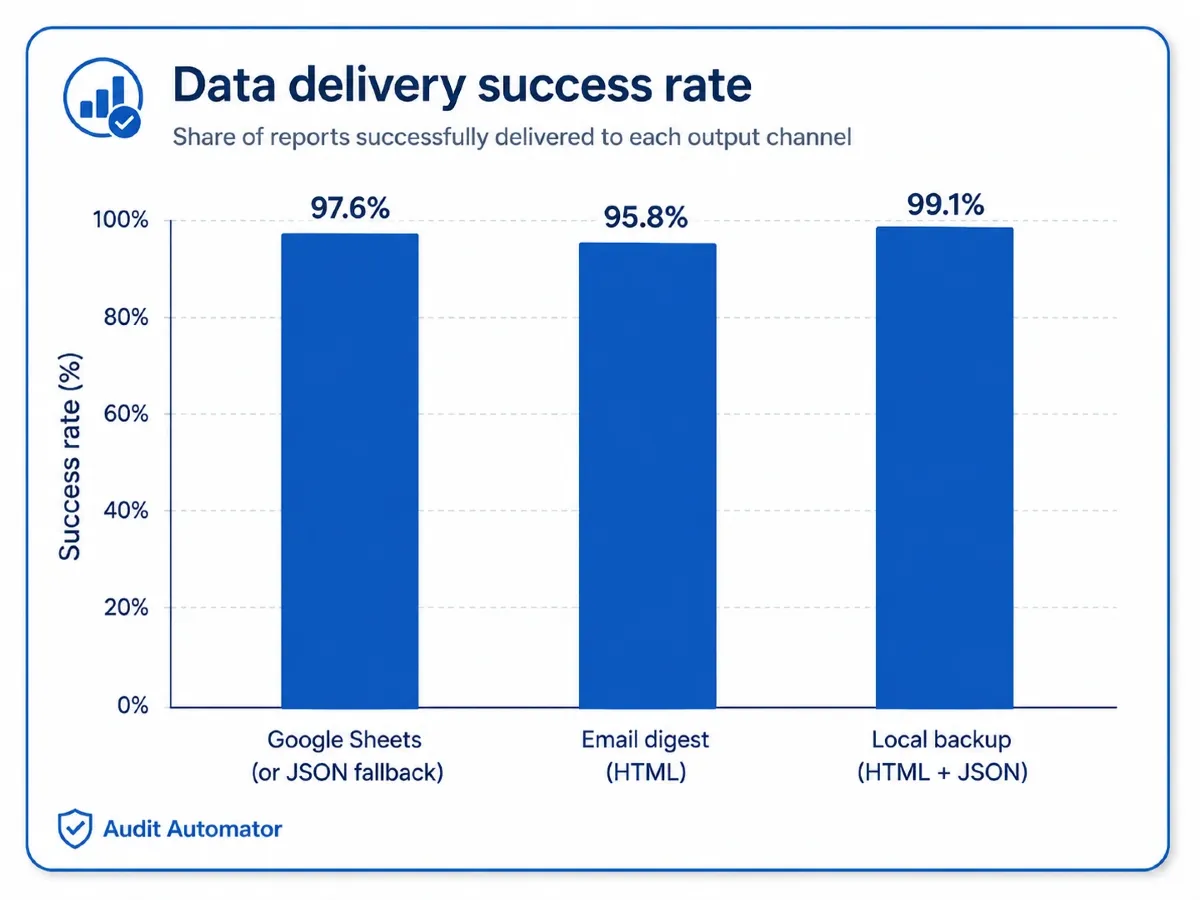
• Resilient delivery: results are stored in Google Sheets, with local JSON and HTML fallbacks.
• Operational reporting: the generated digest also includes the status of every monitored source.
Failures are isolated at source, report, and delivery level, allowing the remaining workflow to continue without losing successfully processed results.
03 Business Impact
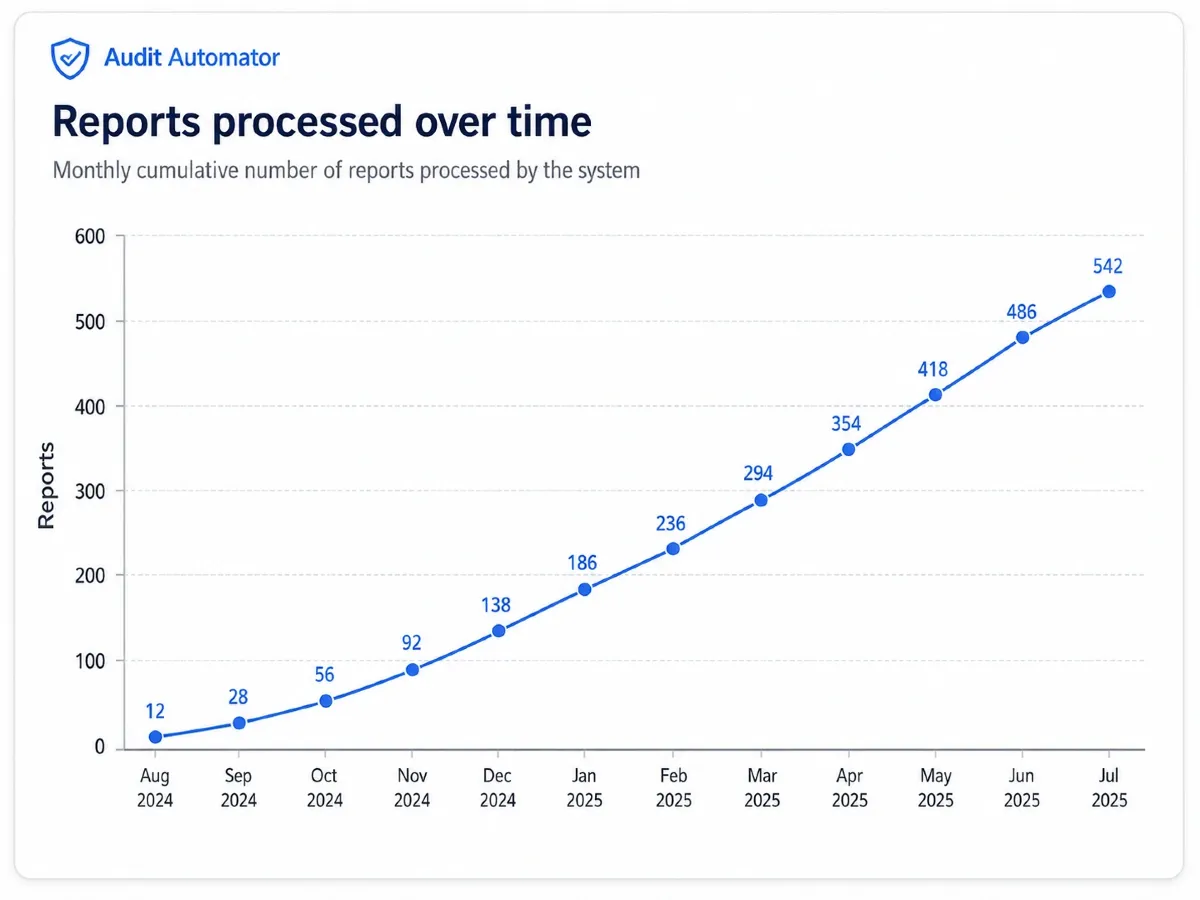
Audit Automator replaces a fragmented manual research process with a repeatable daily workflow for discovering, processing, analyzing, and distributing public-audit reports.
The platform provides several practical benefits:
• Less manual monitoring: editors no longer need to inspect the same institutional websites every day.
• Consistent data: websites, RSS feeds, publication pages, and PDFs are normalized into one structure.
• Faster document triage: the system distinguishes usable documents, scanned files, missing links, and processing errors.
• Reusable editorial content: each report can generate summaries, findings, figures, comparisons, citations, and social content.
• No duplicate processing: previously analyzed reports are not downloaded or processed again.
• Better operational visibility: editors can see both new reports and the status of every monitored source.
• Protected results: local fallbacks preserve output when Google Sheets or email delivery is unavailable.
• Simple expansion: new institutions can be added without rebuilding the entire system.
The result is a human-supervised, AI-assisted editorial system that reduces repetitive work while keeping final interpretation and publication under human control.
Project Gallery
Use the arrows, dots, keyboard, or swipe to explore.